
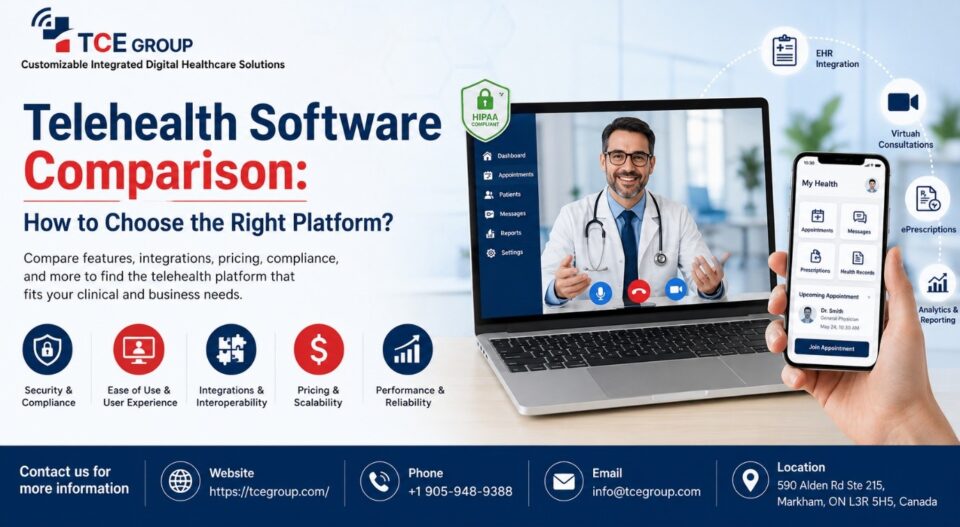
Opting for the right telehealth platform can be harder than it looks. There are dozens of options, but platforms often make similar claims about security, integrations, pricing, and ease of use. The wrong choice can also create expensive switching costs, especially when patient records, pharmacy workflows, or clinical systems are involved.
This telehealth software comparison takes a category-based approach instead of ranking individual brands. You will learn which criteria matter, how different platform types compare, what questions to ask during vendor demos, and how to score your shortlist. The goal is simple: help you choose a platform based on your actual clinical, operational, compliance, and integration needs rather than marketing claims or headline pricing.
What “Telehealth Software” Actually Covers
A useful telehealth platform features checklist, starts by understanding that not every telehealth product does the same job.
- Video-only tools: Provide virtual consultations through browser or app-based video, usually with basic scheduling and patient communication features.
- EHR-native platforms: Build telehealth directly into an electronic health record system, allowing providers to manage virtual visits within an existing clinical workflow.
- White-label/API platforms: Provide configurable infrastructure that businesses can brand, customize, or connect to their own applications and systems.
- Pharmacy-integrated platforms: Combine virtual care with pharmacy, prescription, fulfilment, kiosk, online, or mail-order workflows.
The right category depends on what you need the software to accomplish. A small practice that only needs virtual appointments may not need a large integrated platform. A healthcare organization managing prescriptions, patient records, and fulfilment may need much deeper integration.
The 7 Criteria That Should Drive Your Comparison
When conducting a telehealth software comparison, look beyond the feature list. The best platform is the one that fits your operational requirements, compliance obligations, existing technology, and future plans.
1. Compliance coverage across jurisdictions
Do not stop at the phrase “HIPAA compliant.” HIPAA may be essential for US healthcare organizations, but organizations operating across borders may also need to consider regulations such as PIPEDA in Canada and GDPR in the European Union.
Ask vendors which jurisdictions their platform supports and how compliance applies to the complete patient journey. Consider video consultations, patient communications, data storage, records, prescriptions, payment information, language translation, and third-party integrations.
A HIPAA compliant telehealth platform should therefore be evaluated based on its actual safeguards, agreements, data handling, access controls, and audit processes rather than a marketing badge alone.
2. Modular vs. all-in-one purchasing
Determine whether you can purchase only the capabilities you need.
Some organizations may only require video consultations. Others may need scheduling, patient intake, EHR connectivity, prescription management, analytics, and pharmacy fulfilment.
A modular platform can reduce unnecessary spending and make future expansion easier. An all-in-one platform may provide a more unified workflow but can also mean paying for features your organization does not use.
Also consider build vs buy telehealth platform decisions. Building specific functionality may provide greater control, but it usually requires expertise knowledge, more development, long implementation & testing time, maintenance, security, and integration resources.
3. EHR/EMR integration depth
Integration quality can have a bigger impact on daily operations than the number of features listed on a product page.
Evaluate whether telehealth EHR integration is native, supported through a third-party connector, or unavailable. Ask what information can move between systems, whether synchronization is real time, and how errors are handled.
A strong integration should reduce duplicate data entry and help providers maintain a consistent patient record. If staff must manually transfer information after every virtual consultation, the platform may create more administrative work rather than reducing it.
4. Pharmacy and fulfilment fit
For organizations connected to dispensing, prescription management, or fulfilment, pharmacy functionality deserves its own evaluation.
A Telehealth platform for pharmacies may need to support prescription workflows, order processing, kiosk-based or online access, pharmacy system connections, mail-order fulfilment, and delivery tracking.
This is particularly important when virtual care is only one part of the patient journey. A consultation that ends with a prescription may require several downstream steps. The platform should support those workflows instead of leaving staff to connect separate systems manually.
This is one area where a generic video platform and a pharmacy-integrated telehealth system can differ significantly.
5. Patient access friction
Every additional step between the patient and the consultation can create friction.
Ask whether patients need to download an application or whether they can join through a browser link. Consider registration, account creation, identity verification, security, privacy, and appointment reminders, and device compatibility.
A platform with advanced functionality may still perform poorly if patients regularly struggle to access appointments. Test the patient journey yourself before making a purchasing decision.
6. Pricing model
Telehealth software pricing can vary considerably depending on the platform and purchasing model.
Common structures include:
- Per-provider pricing
- Per-visit or usage-based pricing
- Monthly or annual flat rates
- Custom enterprise pricing
- Module-based pricing
Look beyond the advertised subscription. Include implementation fees, integration costs, support charges, additional users, storage, transaction fees, and future upgrades when calculating total cost.
7. Implementation and support model
A self-service SaaS platform and a deeply integrated healthcare system require very different implementation approaches.
Ask how long implementation normally takes, who manages configuration, what technical resources you need internally, and what support is available after launch.
Also clarify whether support is limited to basic product assistance or includes integration troubleshooting and implementation guidance. For complex healthcare workflows, implementation support can be just as important as the software itself.
Comparison Table: Platform Categories at a Glance
Rather than comparing rival brands, compare the type of platform against your organization’s requirements.
| Platform category | Typical buyer | Compliance scope | Integration depth | Common pricing model | Best fit |
| Video-only | Small practices, independent providers | Usually focused on core healthcare requirements | Low to moderate | Per provider or usage-based | Basic virtual consultations |
| EHR-native | Clinics and healthcare organizations | Depends on EHR and configuration | High within supported EHR | Subscription or bundled | Organizations already using a supported EHR |
| White-label/API | Digital health companies, enterprises | Depends on implementation and infrastructure | High and customizable | Custom or usage-based | Organizations building branded digital experiences |
| Pharmacy-integrated | Pharmacies, healthcare networks, virtual care providers | Broader workflow and jurisdiction requirements | High across care and pharmacy systems | Custom, subscription, or usage-based | Virtual care connected to prescriptions and fulfilment |
The category you choose should reflect your operating model. A simple video solution may be appropriate for a small practice, while an enterprise healthcare business may need an API-based, on-premises or pharmacy-integrated architecture.
How to Choose a Telehealth Vendor: A 5-Step Framework
Knowing how to choose a telehealth vendor becomes much easier when you evaluate every option against the same framework.
Step 1 — Document your compliance scope
Start by identifying where your organization operates and what types of protected or regulated information the platform will handle.
List every relevant jurisdiction and every PHI touchpoint. Include consultations, patient records, communications, spoken languages, prescriptions, payments, analytics, and connected systems.
This gives vendors a clear compliance brief and makes it easier to identify gaps between your requirements and their capabilities.
Step 2 — Decide modular vs. all-in-one before you take a single demo
Do not let a polished vendor demonstration determine what your organization actually needs.
First decide whether you need a single capability, several independent modules, or one integrated system. Then ask vendors to demonstrate the functionality that matches your requirements.
This also makes it easier to evaluate whether a modular platform or an all-in-one suite provides better value.
Step 3 — Map your EHR/pharmacy integration requirements in writing
Create a written integration map before speaking with vendors.
Document your existing EHR, pharmacy system, scheduling tools, payment systems, identity services, and other important technologies. Then specify what information needs to move between each system.
For example, determine whether patient demographics, appointment information, clinical notes, prescriptions, or fulfilment data must be synchronized.
Clear requirements make telehealth EHR integration easier to evaluate and reduce the risk of discovering major compatibility problems after purchase.
Step 4 — Score 3–5 shortlisted vendors against your own weighted criteria
Do not rely on memory after several vendor demonstrations.
Shortlist three to five platforms and score each one against the same criteria. Give greater weight to requirements that directly affect patient care, compliance, or operational efficiency.
Use the scoring worksheet below to create a consistent evaluation process.
Step 5 — Pressure-test implementation and support, not just the demo
A vendor demo shows what the platform can do under ideal conditions. Implementation reveals how well it works in your real environment.
Ask the vendor to demonstrate important integrations, patient access, administrative workflows, reporting, and error handling. Speak with the implementation team, not only the sales representative.
You should also establish who is responsible if an integration fails, data does not synchronize, or your team needs technical assistance after launch.
A Simple Scoring Worksheet You Can Reuse
Use this weighted worksheet to compare your shortlisted platforms objectively. Adjust the weights based on your organization’s priorities.
| Criterion | Weight | Vendor A Score | Vendor B Score | Vendor C Score |
| Compliance and jurisdiction coverage | 20% | |||
| EHR/EMR integration | 20% | |||
| Pharmacy and fulfilment integration | 15% | |||
| Patient access and usability | 15% | |||
| Pricing and total cost | 10% | |||
| Implementation and support | 10% | |||
| Scalability and customization | 10% | |||
| Total | 100% |
Score each vendor consistently, such as from 1 to 5. Multiply each score by the criterion’s weight to calculate a weighted result.
The purpose is not to create a mathematically perfect winner. It is to make trade-offs visible and ensure the final decision reflects your organization’s priorities.
Common Mistakes Practices Make When Comparing Platforms
Avoid these common mistakes when evaluating telehealth software:
- Assuming “HIPAA compliant” covers every jurisdiction: US compliance does not automatically address requirements in Canada, Europe, or other markets. Evaluate the regulations that apply to your actual operations.
- Choosing based on sticker price: A low subscription price can become expensive when implementation, integrations, support, additional users, and usage fees are included.
- Buying the full suite when only one module is needed: More features do not automatically mean better value. Determine which capabilities your organization actually requires.
- Skipping real integration testing: A vendor saying that it “integrates with your EHR” is not the same as proving that the required data and workflows work correctly.
- Ignoring the patient experience: Complicated downloads, registration steps, or unreliable access can reduce adoption even when the underlying technology is strong.
- Evaluating only the sales demo: Ask to see real workflows, integrations, administrative functions, and implementation processes before making a decision.
We at TCE Group can help you deal with all these issues in detail. Connect with us – +1 (888) 611-5576 or +1 (888) 331-3317 or you could mail us at – info@tcegroup.com to take on the discussions further!
FAQ
1. What’s the difference between telehealth and telemedicine software?
Telehealth vs telemedicine software is mainly a matter of scope. Telemedicine generally refers to the remote delivery of clinical care, such as virtual consultations. Telehealth is broader and can include clinical services as well as scheduling, patient communication, remote monitoring, administrative workflows, and other digital healthcare functions.
The exact terminology can vary between organizations, so focus on the capabilities you actually need rather than the label used by a vendor.
2. Do I need a HIPAA-compliant platform if I’m not a US practice?
Not necessarily. HIPAA applies to covered entities and business associates within its regulatory scope in the United States. Organizations operating elsewhere may instead need to comply with laws such as PIPEDA, GDPR, or applicable local regulations.
However, a HIPAA-compliant telehealth platform may still be useful, as it covers most of other compliances, if your organization handles US healthcare data or works with US-based partners. Always evaluate compliance based on the jurisdictions and data flows relevant to your organization.
3. Can I buy just one telehealth module instead of a full platform?
Sometimes. Some vendors offer modular products, while others require customers to purchase a broader suite. Ask whether individual capabilities can be purchased independently and whether modules can be added later, like what MyVideoJoin offers.
If you only need virtual consultations today but expect to add pharmacy, EHR, or other workflows later, modularity may be particularly important.
4. How long does telehealth implementation usually take?
Implementation time varies widely. A basic video solution can potentially be configured quickly, while an enterprise deployment involving EHR, pharmacy, identity, payment, compliance, and custom integrations can take substantially longer.
Before signing a contract, ask for a written implementation timeline covering configuration, integration testing, user training, security review, pilot testing, and launch support.